
In this website, I have often shown how Matlab application functionality can be significantly enhanced by including Java components in the Matlab GUI, using the built-in semi-documented javacomponent function (which I described here last year).
Using java components in Matlab is simple and easy, but there are a few annoying catches. One of these is the fact that the default Matlab figure background color ([0.8, 0.8, 0.8]) is a different shade of gray than the default uicontrol background color ([0.9255, 0.9137, 0.847]). javacomponents use the same background color as uicontrols.
hPanel = uipanel('units','pixe', 'pos',[30,30,200,100], 'title','Matlab uipanel'); jLabel = javax.swing.JLabel('Java Label'); [jhlabel,jContainer]=javacomponent(jLabel, [250,50,100,50], gcf); |
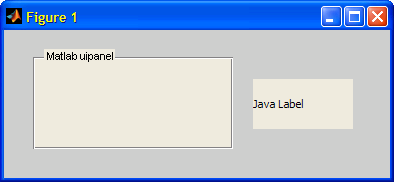
While Matlab users are familiar with updating Matlab colors, doing so with Java colors is a bit different. We have two basic ways to align the javacomponent background color with the figure’s: either change the figure’s Color property to the Java component’s bgcolor, or vice versa:
Changing the javacomponent‘s background color to the figure color
% Fix the Java component: % Variant #1 bgcolor = get(gcf, 'Color'); jLabel.setBackground(java.awt.Color(bgcolor(1),bgcolor(2),bgcolor(3))); % Variant #2 bgcolor = num2cell(get(gcf, 'Color')); jLabel.setBackground(java.awt.Color(bgcolor{:})); % Fix the Matlab panel uicontrol set(hPanel, 'BackgroundColor', get(gcf,'Color')); |
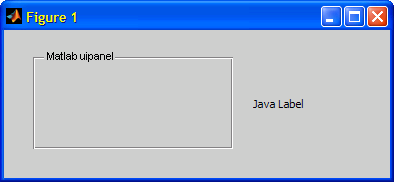
Changing the figure’s color to the javacomponent‘s background color
bgcolor = jLabel.getBackground.getComponents([]); set(gcf, 'Color', bgcolor(1:3)); |
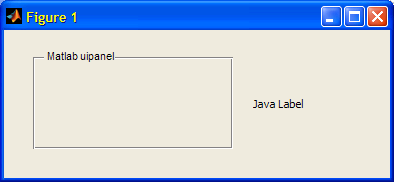
Look at the list of related posts below for other articles related to colors in Matlab.

hello,
(How) is it possible to place the panel label(name) someplace else than the top of it?
thanks in advance
@Panos – you can easily get the handle of the panel label and then modify its Position property, as well as other aspects: color, font, and even component style, as described here: http://undocumentedmatlab.com/blog/panel-level-uicontrols/
Hello Yair,
is it possible to set transparency of javacomponents backgroud color? I tried setBackground(java.awt.Color(1, 0.98, 0.94, 0.5)) of my Spinning icon which I learned from your article as well. Here 0.5 defines the Alpha. But only at start and at end the transparency works. While the Spinning Icon runs, it doesn’t works. May you have some idea or Solutions?