
A few days ago, a user posted a question on StackOverflow asking whether it is possible to trap a Java-based event in a Matlab callback.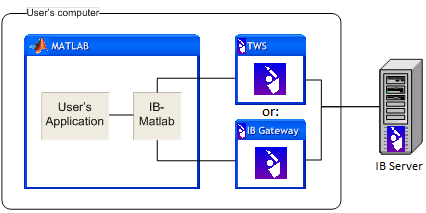
It so happens that only a few weeks ago I completed a consulting project which required exactly this. The project was to integrate a Matlab computational engine with a Java interface to Interactive Brokers (IB) – a well-known online brokerage firm. The idea was to use the Java interface to fetch real-time data about securities (stocks, bonds, options etc.), use a Matlab processing utility, then use the Java interface again to send Buy or Sell orders back to IB.
If you are interested in the final result (IB-Matlab, a complete and field-tested Matlab-IB interface), look here.
The challenge
A big challenge in this project (aside from handling quite a few IB interface quirks), was to propagate events from the Java interface to the Matlab application. This had to be done asynchronously, since events such as order execution can occur at any time following the order placement. Moreover, even simple requests such as retrieving security information (bid/ask prices for example) is handled by IB via Java events, not as simple function return values.
Handling Java-based events in Matlab is not a trivial task. Not only merely undocumented, but it is also not intuitive. I have spent quite a few hours trying to crack this issue. In fact, I believe it was one of my more challenging tasks in figuring out the undocumented aspects of the Matlab-Java interface. Few other challenges were as difficult, yet with a happy ending (Drag & Drop is a similar issue – I will describe it in another article sometime).
The solution
Fast-forward all the fruitless attempted variations, here is the bottom line. Refer to the following simple Java class example:
public class EventTest { private java.util.Vector data = new java.util.Vector(); public synchronized void addMyTestListener(MyTestListener lis) { data.addElement(lis); } public synchronized void removeMyTestListener(MyTestListener lis) { data.removeElement(lis); } public interface MyTestListener extends java.util.EventListener { void testEvent(MyTestEvent event); } public class MyTestEvent extends java.util.EventObject { private static final long serialVersionUID = 1L; public float oldValue,newValue; MyTestEvent(Object obj, float oldValue, float newValue) { super(obj); this.oldValue = oldValue; this.newValue = newValue; } } public void notifyMyTest() { java.util.Vector dataCopy; synchronized(this) { dataCopy = (java.util.Vector)data.clone(); } for (int i=0; i < dataCopy.size(); i++) { MyTestEvent event = new MyTestEvent(this, 0, 1); ((MyTestListener)dataCopy.elementAt(i)).testEvent(event); } } } |
When compiling EventTest.java, three class files are created: EventTest.class, EventTest$MyTestEvent.class and EventTest$MyTestListener.class. Place them on Matlab’s Java static classpath, using edit(‘classpath.txt’) (using the dynamic classpath causes many problems that using the static classpath solves). They can now be accessed as follows:
>> which EventTest EventTest is a Java method % EventTest constructor >> evt = EventTest evt = EventTest@16166fc >> evt.get Class = [ (1 by 1) java.lang.Class array] TestEventCallback = TestEventCallbackData = [] BeingDeleted = off ButtonDownFcn = Children = [] Clipping = on CreateFcn = DeleteFcn = BusyAction = queue HandleVisibility = on HitTest = on Interruptible = on Parent = [] Selected = off SelectionHighlight = on Tag = Type = EventTest UIContextMenu = [] UserData = [] Visible = on >> set(evt) Class TestEventCallback: string -or- function handle -or- cell array ... >> set(evt,'TestEventCallback',@(h,e)disp(h)) >> get(evt) Class = [ (1 by 1) java.lang.Class array] TestEventCallback = [ (1 by 1) function_handle array] % < = ok TestEventCallbackData = [] ... >> evt.notifyMyTest % invoke Java event 0.0009765625 % < = Matlab callback |
Note how Matlab automatically converted the Java event testEvent, declared in interface MyTestListener, into a Matlab callback TestEventCallback (the first character is always capitalized). All Java events are automatically converted in this fashion, by appending a ‘Callback’ suffix. Here is a code snippet from R2008a’s \toolbox\matlab\uitools\@opaque\addlistener.m that shows this (slightly edited):
hSrc = handle(jobj,'callbackproperties'); allfields = sortrows(fields(set(hSrc))); for i = 1:length(allfields) fn = allfields{i}; if ~isempty(findstr('Callback',fn)) disp(strrep(fn,'Callback','')); end end callback = @(o,e) cbBridge(o,e,response); hdl = handle.listener(handle(jobj), eventName, callback); function cbBridge(o,e,response) hgfeval(response, java(o), e.JavaEvent) end |
Note that hgfeval, which is used within the cbBridge callback function, is a semi-documented pure-Matlab built-in function, which I described a few weeks ago.
If several events have the same case-insensitive name, then the additional callbacks will have an appended underscore character (e.g., ‘TestEventCallback_’):
// In the Java class: public interface MyTestListener extends java.util.EventListener { void testEvent(MyTestEvent e); void testevent(TestEvent2 e); } |
% …and back in Matlab: >> evt=EventTest; evt.get Class = [ (1 by 1) java.lang.Class array] TestEventCallback = TestEventCallbackData = [] TestEventCallback_ = TestEventCallback_Data = [] ... |
To complete this discussion, it should be noted that Matlab also automatically defines corresponding Events in the Java object’s classhandle. Unfortunately, classhandle events are not differentiated in a similar manner – in this case only a single event is created, named Testevent. classhandle events, and their relationship to the preceding discussion, will be described in Donn Scull’s upcoming series on UDD.
An alternative to using callbacks on Java events, as shown above, is to use undocumented handle.listeners:
hListener = handle.listener(handle(evt),'TestEvent',callback); |
There are several other odds and ends, but this article should be sufficient for implementing a fully-functional Java event handling mechanism in Matlab. Good luck!
p.s. – if you’re still stuck, consider hiring me for a short consulting project. I’ll be happy to help.

Once again, a very nice article ! Thanks to you, we can now trigger matlab callbacks from java-events without an advanced knowledge of java… Thank you !
I have a question about listening to MouseEvents : in a matlab application, I would like to trigger a matlab Callback when the mouse moves over a figure, without using the “WindowButtonMotionFcn”. In a previous article (http://undocumentedmatlab.com/blog/inactive-control-tooltips-event-chaining/), one of your special guests explained that you can do something like that attaching a listener to the “WindowButtonMotionEvent” (with the syntax handle.listener(gcf,’WindowButtonMotionEvent’,@myFigMouseMove)) . This works very well but unfortunately, the only EventData that you can retrieve is the CurrentPoint, which is quite poor. I would prefer to retrieve the MouseEvent java object.
Do you know if there is a way of retrieving MouseEvent in matlab figures and attach a listener to it ?
It would also be very useful to retrieve KeyEvent…
Thank you very much in advance for your help,
Julien
@Julien – this was answered here: http://undocumentedmatlab.com/blog/uicontrol-callbacks/#comment-22139
In your case, you need to use the MouseMovedCallback property.
Could this method be used to have matlab run a callback when changes are made to a jtable? (I know i should just be able to use a uitable as a jtable, but uitable drives me crazy with everything else it does…)
@Matt – yes, if you attach a Java event and wrap it as described in the article above. However, I think it would be *much* easier to simply attach a handle.listener on the relevant Java event/property, or simpler still – to attach a regular Matlab callback on the events already exposed by the Java object (e.g., DataChangedCallback, which is a callback-able property of the JTable model if I remember correctly).
– Yair
Oh good, i was hoping there would be a much simpler way 😀 I’m still pretty new to java. I had checked before and didn’t see any relevant callbacks for JTable, but now I see that DefaultTableModel has TableChangedCallback that seems to do what I need it to. I’ll also check out handle.listener… it’s been a while since I looked at Matlab’s listener capabilities. I didn’t realize you could add them to general java objects… i thought they were just for Matlab’s handle graphics stuff. Thanks a lot for the info!
@Matt – take a look at this article, which presents three separate ways of accessing Java events using callbacks and handle.listener: http://undocumentedmatlab.com/blog/continuous-slider-callback/
Wow, that is tremendous! Great work. Though I have to say, running a live trading system on matlab and even undocumented matlab features is probably not wise on so many levels.
@Anonymous – some of the biggest quant hedge funds in the world would disagree with you on this.
Great work. I have one question: It seems the matlab callback is dynamically (a-synchronously) invoked. Is there any solution to synchronouly invoke the matlab callback in your example? Thanks.
For example, if we add two lines to the function “notifyMyTest()”
We will see the prints as following:
———–
Starting calling Callbacks…
Callbacks called
9.7656e-004
———–
It looks like the Matlab callabck is invoked after the java code returns. Any suggestions? Thanks.
@Yunde – yes, this is how it works: the Matlab callback function is invoked on a different thread and the threads are not synchronized. In most cases this is exactly how we need it to behave. If you require synchronization, here’s one way to solve this: You could have your Matlab function set some internal Java property when it ends its processing, and have the original Java code wait (sleep) until it detects that the property value has been changed.
Well done!!! That’s what I need!!! However, I don’t understand something about Java code, in particular about TestEvent.class:
1) Why are “addMyTestListener”, “removeMyTestListener” and notifyMyTest() methods declared “synchronized”?
2) Why does “notifyMyTest()” execute “data.clone()”??
3) For realizing callback, do I always have to implement an interface that extends java.util.EventListener??? If I don’t make it, for example I use an interface don’t extends java.util.EventListener, does it work???
Thanks in advance!!!!!
Alessio
@Alessio –
1 + 2) this is an attempt to make the code re-entrant, i.e. enable several Java threads to access the class concurrently. Note that only the code surrounding access to
datais synchronized.3) java.util.EventListener is an interface without any declared fields, properties or methods. It is simply used as a flag to indicate that the object is, well, an EventListener. All of your interface’s internal methods (testEvent() in this case) are user-defined methods. Behind the scenes, Matlab converts all such Java methods into Matlab callbacks, so testEvent() is automatically converted into TestEventCallback. In short – feel free to test variations of my code (it won’t bite you). Now that you have a working base, this should be easy. It was much harder for me when I didn’t have an initial working base…
Dear Yair, though this request might seem out of topic, I would like to ask you if, referring to your sentence above ” Few other challenges were as difficult, yet with a happy ending (Drag & Drop is a similar issue – I will describe it in another article sometime) “, you could kindly point me to that “happy ending” you mention.
I am trying to implement a Drag & Drop function that would allow me to rearrange a Matlab listbox rows with a mouse drag & drop technique on the same listbox (that is, by dragging and dropping its rows in the desired position).
All I have been able to find on the subject (close to), was a discussion by you and others left unfinished on the Mathworks website back in 2009.
Thank you in advance.
Dan
Hi Dan,
I recently ran into the exact same problem, and found a solution. I’ve explained the solution over here:
http://undocumentedmatlab.com/blog/setting-listbox-mouse-actions/#comment-99126
And I’ve created a utility that creates reorderable lists, available on the Matlab File Exchange:
http://www.mathworks.com/matlabcentral/fileexchange/37642-reorderable-listbox
All the best!
-Erik
Hi Yair,
Is it possible to somehow handle the event PaintEvent of Java component in MATLAB (override methods paint and update)?
For example, I’m creating a JPanel in MATLAB window and want to catch the paint event in a MATLAB function.
Can I do this? Can I do write a class in Java, which is derived from JPanel with events for the paint()?
@Iroln – this is an interesting idea. I never tried it, but I see no reason (except performance) why you cannot create a new Java class that derives JPanel and have the event delegated to Matlab using the mechanism described in the article above. Note that the paint event needs to receive the correct parameters (Graphics object and whatnot).
Interesting idea indeed – please do post your findings (or a sample code) here, after you have experimented with it.
Thanks Yair for this post.
However, I’m doing everything your way and when I use your last line
‘hListener = handle.listener(handle(evt),’TestEvent’,callback) ‘
I get the error = Undefined function or variable ‘Callback’
Is there anything missing ?
@Frank – you forgot to define your callback, so of course you get an error when you try to use it in your listener. In my code I used the following callback definition:
Thanks for the answer Yair. I’m still struggling a bit. How can I get the oldValue and newValue in Matlab on every event ? May be with the hgfeval but I still don’t see how. Does a getvalue in the class myTestEvent would allow this and how would be the optimal way to get it from hgfeval ?
@Frank – since both oldValue and newValue were declared as
public, you can access them in your callback function as follows:Of course, a better way would be to declare oldValue and newValue as
privatein the Java class, and to have only public accessor methods. For example:You would then access these values in the Matlab callback as follows:
Hi,
Using the callback mechanism shown above, I realized a simple MATLAB + JAVA application that, from a “Java Layer”, generates Java event handled by Matlab function. In the software developed, Java code was inserted in a ‘.jar’ file (jar_app.jar). If I test the JAVA + MATLAB application developed using MATLAB, it works fine, but if I create an executable with MATLAB Compiler for it using the command
mcc -m Demo_ Matlab_Java_App.m
and then execute it from command prompt, I have the following error:
Reading other posts regarding this exception, it seems (but I’m not sure…) that ‘.jar’ file with java code isn’t detected; Probably, executable doesn’t access to the MATLAB “classpath.txt” file.
Also, in Matlab code, I add this instruction:
but I think that it is unuseless; executable dosen’t work… How can I do to resolve this problem and realize a working executable??
I hope that problem is clear… If it isn’t clear, please tell me, thank you…
greetings
@Alessio – your theory is correct: the error that you see is exactly the error that can be seen in a regular Matlab desktop when trying to set callbacks to Java classes that were added using the dynamic (rather than the static) Java classpath.
Try to place a classpath.txt file that contains your JAR file in your compiled application’s start-up folder. If my hunch is correct, this could solve your problem.
Thanks Yair for your suggest…Finally, now all works fine ;-)!!!!!!!!!!!
Again, Thanks a lot for all!!!!
Hi Yair,
I just realized a new Java + Matlab application using Matlab Callback for Java Events mechanism that you suggest in this article. Java-side, I have a net-application containing a Server Thread and a Client Thread; Server Thread, after opening a ServerSocket, acquires a value (randomly generated at the moment) every 50 msec (“production value” rate), places it in a byte array (length 2) together with a sequence number (generated value in array position 1 seqNo in array position 2), and send it to the Java Client Thread through socket. Client Thread receives byte array (value + seqNo), puts it in a java event and finally notifies Matlab application using testEvent(event) method. The Matlab function invoked after the call of ‘testEvent(event)’ processes the value contained in the event and writes it in a ‘.txt’ file.
After executing some test, I noticed that sometimes prints on file realized from Matlab after testEvent(event) invocations aren’t executed in the correct order; For example, if Java Client Thread receives byte arrays in the order , , , , , could be that Matlab printing (and processing) function writes this sequence (for example) in this order: , , , , even if the invocation of eventTest(event) are the following: eventTest(event()), eventTest(event()), eventTest(event()), eventTest(event()), eventTest(event()), eventTest(event())…
Is testEvent(event) a synchronous method? If it isn’t, how can I do to have synchronous called of testEvent(event) method???
Certainly, it isn’t a Matlab ‘printf’ problem. Infact, during debugging, I print on screen the event received from Matlab printing and processing function, the “call order” isn’t respected….
I hope that my problem is clear….If it isn’t, please tell me, thank you!!
Thanks a lot!!!
I have a problem in posting the message….I repeat the second part of message here…
After executing some test, I noticed that sometimes prints on file realized from Matlab after testEvent(event) invocations aren’t executed in the correct order; For example, if Java Client Thread receives byte arrays in the order, {val0, 50}, {val1, 51}, {val2, 52}, {val3, 53}, {val4, 54} could be that Matlab printing (and processing) function writes this sequence (for example) in this order: {val2, 52}, {val3, 53}, {val4, 54}, {val0, 50}, {val1, 51}, even if the invocation of eventTest(event) are the following: eventTest(event({val0, 50})), eventTest(event({val1, 51})), eventTest(event({val2, 52})), eventTest(event({val3, 53})), eventTest(event({val4, 54}))…
Hey guys, any luck regarding this? I’m observing the same behavior and I was wondering if you found a way to capture events in the same order as they’ve been dispatched.
Thanks
well done !!!!!!!! that’s it vat I need…..!
[…] Each time the Matlab callback function is invoked, it reads the event information from the Java object […]
Hi,
I try to start your example, but maybe don’t understand something.
evt.notifyMyTestdoesn’t show any result as in your case.
I tried to debug it, but
is empty, so it won’t be notified any of listeners. What do I do wrong?
Here is my code in matlab:
Should set(evt,’TestEventCallback’,@(h,e)disp(h)) add a listener? Or were do I add a listener?
Thanks
I tried doing this simple example, but it didn’t work as expected.
I copied and pasted the EventTest class into a .java file and compiled it. As expected, it generated the 3 .class files. I put them on the static path and restarted Matlab. Matlab 2012b complained about the $ characters in the class file names, so I created a jar file and put that on the static path, again restarting Matlab. After that, I could run
successfully. I could create evt as in the example, and get its properties. When I ran
I ran into an error:
Checking that it did get set with
yielded the result:
That looked like the callback was correctly set, so I went ahead and ventured to try
evt.notifyMyTestbut nothing was returned. Matlab just went right back to the next command line.
Should it actually display a value as shown in the example? If not, how do I know it actually did what it should do?
@Mike – this is a symptom that happens when Matlab is not loading the JAR file properly in the static path. Check your classpath.txt file again, then restart Matlab and retest. Ensure that you are not using javaaddpath anywhere in your code to load the Java classes.
Thanks for responding so quickly. I checked my classpath.txt and decided to change file separators. javaclasspath produced results with Windows-style backslashes while classpath.txt had *nix-style slashes. I went with the Windows-style this time, and now it seems to work as advertised. I don’t know why that should make a difference — Matlab is typically happy to work with either file separator, but that seems to be the difference.
Hi,
I tried running your example in Matlab 2012b but I get the following error when I try to do a ‘which’ or ‘import’ on the Matlab command line:
I tried adding the .class files using the way you said originally in your example but also using a .jar file as someone else mentioned earlier. I have no idea where to begin looking here. I’m running Matlab on Scientific Linux 6.3 although that shouldn’t matter since Matlab has its own JVM as far as I understand it.
@Przemek – this happens because you compiled your Java code with a Java-7 compiler, while Matlab still only supports Java 6. Modify your Java compiler’s settings to use Java 6. For even better compatibility, to also run on Matlab versions 7.0.4 (R14SP2) to 7.4 (R2007a), compile using Java 5.
Thanks for your reply. I keep forgetting about this Java version thing in Matlab. This problem has plagued me in the past.
Some more confusion on my side; some quick background. I’m using RabbitMQ, more specifically, I’m using a RabbitMQ callback function in Java that will received messages from outside the system asynchronously. So, a callback in my Java will get the message and that message needs to be passed into matlab via an event. My idea is to use your code to pass this event. The payload will be a JSON so just a string. Here is the Java code that I’ve slightly modified:
so my understanding is that this code would return the string “Hello World” to the Matlab event listener. Here is the Matlab code:
classdef Test < handle properties event; hListener; end methods function obj = Test() obj.event = Java2MatlabEvent; set(obj.event, 'JavaEventCallback', @(h,e)disp(h)); %obj.hListener = handle.listener(handle(obj.event),'JavaEventCallback', @(h,e)javaCallback(h)); obj.event.notifyMyTest; end function javaCallback(obj, eventData) disp('javaCallback'); disp(get(eventData, 'message')); end end endSo this code returns a number in scientific notation which makes no sense to me. When I run it several times the numbers change. Here is the output from several runs: R1: 9.7656e-04 R2: 1.0010 R3: 2.0010 R4: 3.0010.
I’m also uncertain what the ‘h’, ‘e’ variables represent. I also tried doing this using the handle.listener way (commented out code) but in that case the javaCallback was never called. Am a missing something small here or am I completely out to lunch?
So I’ve been at this for a week now and I have been able to get your example to work. If I understand things correctly, you call evt.notifyMyTest for the sake of this tutorial; in reality the notifMyTest would be called by something in your Java program and the event that gets generated as a result of that would travel up into the Matlab callback for that event?
@Przemek – yes, exactly
@Przemek, did you get the RabbitMQ stuff to work in Matlab with events triggering matlab functions?
I’d appreciate a chat if you have time. mojo2023 at gmail
thanks.
/r
hi,
I have a matlab script that displays an image. I have also written a java swing program with a button. Now, I need to call the above mentioned script when I click that button. Is it possible to call the matlab script from java using event handling??
@Priya – you can do this using the Matlab Builder for Java toolbox, or via the undocumented COM/JMI/JNI interfaces. Read chapter 9 in my Matlab-Java book, or search this website for
matlabcontrol.Thank you. But, it says that i have to run it in the matlab command prompt only. Not possible to run it in the normal command prompt?? Because i don’t want to run it in the matlab command window. Is it possible to run it like a normal java code??
and i found that the examples are generally mathematical functions. Will you please give an example with an image? It will help me to understand it better.
@Priya – I find it difficult to understand what you mean. If you want to run your Matlab function (script file) from Java you can use MatlabControl to simply issue the relevant string for Matlab to execute. You don’t need any command line for this. The examples in the article about using the Matlab command line were only to demonstrate how to use MatlabControl.
Or you can use JMI/COM/JMI, as I explain in my book with some examples (there is even a specific example that displays a Matlab figure window from Java using JNI).
What do you mean by relevant string?? Is it the name of the script file that i have created in matlab??
yes
thank you so much for your immediate response . i will definitely try it out .
I am getting the image name from user and saving image1 as asbmp image. But i am getting an error.
Can you please point out the mistake i have made.
i am sorry but i dont know where to post this question..
I am getting the name of an image from user and checking if it matches with other images..If i use imread() and perform the matching, it is working but,i am unable to compare it if i get it from user.
Priya – this is not a general forum for Matlab questions. You can ask these questions in the Matlab newsgroup or the Matlab Answers forum.
Specifically, you need to use the strcmpi function to compare strings, you cannot use ==
Sorry Mr.Yair but i am really in need of the code…sorry and thank you
Hi Yair,
Thanks for posting this article. Interesting that we are still commenting on it years later 🙂
I have an interesting problem. When I compiled this and instantiate the object in Matlab (r2012b) I never can see any events via events(jObj). I have tried many variations of the code, using static/dynamic class path, etc. But I am always faced with the same problem: “no events for class com.blah.TestClass”
I have also looked at a few other guides along this same line for pure Java, so I mostly understand what is going on with the interface and the interaction between the different functions in the event generation class.
If you would like I will post my code. But it is essentially identical to yours. Maybe you came across this in your testing and know what to look for?
Thanks,
Will
@Will – it’s probably a static classpath issue. If you’d like my consulting help on your project, please contact me offline (via email)
Hi Yair,
You were right. A while after writing, I was forced to shut down my Matlab instance, which I had been running since working on this project.
Just in case this helps anyone else, even when using the dynamic class path, you can instantiate the event producer class, but any changes made to the interface section (the part where you define the event callback names) will NOT be updated until you restart Matlab.
Also, I could see the events when I restarted Matlab and loaded the event producer class from the dynamic path, but then I got that NullPointerException error so many others have seen when trying to hookup a Matlab listener to a custom Java event.
So my problem was ultimately not in the Java code, but Matlab’s bad behavior with the dynamic java class path!
I was misled in this regard as I have built an extensive Java gui which I have working just fine using the dynamic class path. Lesson learned. Custom events = static class path or else!
Thanks for your help, Yair.
It is important to remember that UDD and MCOS are separate object systems. The command events(obj) displays the events for MCOS objects but does not display the events for UDD/java objects.
Hello Yair,
I was able to use this trick to run Matlab code in the EDT by calling javaMethodEDT(‘notifyMyListener’, evt) after assigning the function I want to run as the TestEventCallback.
While this solves my problem well, I was wondering if you do know an easier way to do this?
Greetings,
Florian Franzen
@Florian – if you use
javaObjectEDT(evt)then all methods that you call on evt from then on in Matlab will use the EDT. You could then simply use evt.notifyMyListener().@Yair: I know, but this still requires me to have a Java class file similar to your EventTest in my static class path.
All I want to do is run matlab code on the EDT (to get around some timer digital i/o limitation of the stupid new session-based interface).
Is there a way to archive this (and by this I mean run a matlab java callback in EDT) without using any custom java code?
Thank you,
Florian
See http://undocumentedmatlab.com/blog/matlab-and-the-event-dispatch-thread-edt
Specifically the callbackOnEDTQueue at the end.
I’m curious if this could help with a message pipeline to stop the execution of a function (i.e. help set a global variable that would be examined at intervals, and execution would cease in the function if necessary). My scenario:
– I want to wrap a GUI around a series of student-developed functions (some take 30+ minutes to execute)
– Would like to make as few changes as possible to their code
– Need a way to fire off one of these functions, but still get GUI events so I can respond
I’m calling ‘drawnow’ and have a semi-responsive interface (I can move the window, usually), but still not getting any GUI events like a click on the close box. I’m a new to the Matlab GUI side of things, and I’m mostly a C++/pthreads guy so this is all foreign territory for me..
Cheers,
-Eric
Matlab’s main processing is single threaded. I can’t think of any solution except modifying your scripts to include pause() or some condition checks (maybe there is, I just can’t think of any other solution).
This method to hook up java events seems to be broken in 2014a. Same machine, same configuration. This is result from 2014a:
Result for 2013b looks like expected:
Note the missing testeventcallback in the 2014a output compared to the 2013b one. The jar is in the static path in both cases. Any ideas?
@Daniel – use the handle wrapper as described here
Hey,
this approach does not seem to work with matlab 2014a anymore.
The Java Object does not expose the callbacks anymore.
Jan
ok.. i just saw the comment above.. thanks
[…] than Matlab’s standard uicontrols. Three years ago I wrote a related article showing how to trap any Java events as simple Matlab callbacks, even those from custom Java classes. This worked very well over the years, until now.Over the past […]
Can the Matlab callback assigned to the java event return a value to java ?
@Sameh – the Matlab callback can call a Java method of the Java object and pass one or more values to this method as input arguments.
If the class in interest does not embed the interface and only provides a method to add a listener can this still be hooked into Matlab? E.g. I am trying to add a ChangeEventListener and hook the event into Matlab. Is this possible?
Figured it out! Thanks for the great posts.
@Dave – just saying that you “figured it out” is not helpful to anyone. Post your solution for the benefit of other readers. Otherwise why should anyone take the time to answer you in the future?
[…] looking to implement events and listeners like I am it is slightly a bit more difficult. This blog has a pretty detailed guide of how to do this along with some other neat tricks that’s not […]
Hi,
Thanks for the life saving tutorial. I tried to follow the steps mentioned above but when i say evt.get am getting below response.
Because of it am not able to add any of call back. Kindly help
PS – Classes are compiled using jdk1.5, matlab version – R2014a 32 bit
Sorry to bother before reading the above comments properly. Just adding
h = handle(evt,'CallbackProperties');worked like a charm 🙂Thanks
Hi,
the workaround with the handle(h,’CallbackProperties’); call does not work in matlab 2015b anymore.
is there another way to solve this?
thanks
Jan
@Jan – I believe that you are mistaken. It still works well in R2015b. Perhaps you have a bug in your code.
Hi,
also thank you for providing this very helpful tutorial, which works very well. In my application I use the event call back (here ‘process_message’) to receive data from a java class and to update a GUIDE gui, respectively.
However, I encounter the problem that the event callback / data update rate is very high and completely blocks other processing in MATLAB. Is there any option to run ‘process_message’ in a separate thread? I have also read your article regarding async threads via timers, but I am puzzled how I can apply the described technique to this usecase. Any ideas?
Thanks,
Rainer
@Rainer – the callbacks fire on the Main Matlab thread (MT) unless you cause your Java control to run on Java’s Event Dispatch Thread (EDT)
Also no any callbacks added automatically. What can be wrong?
@Dims – see http://undocumentedmatlab.com/blog/matlab-callbacks-for-java-events-in-r2014a
Hi Yair
I have written a customized JTree and planning to forward the tree selection event to matlab. I copied your example but encountered a problem (BTW, there is a typo of datacopy, should be dataCopy):
I am using Matlab2016a now. Seems like get method no longer returns the interface callbacks. Could you give me a hint ?
Thanks
@Tianxiao – see http://undocumentedmatlab.com/blog/matlab-callbacks-for-java-events-in-r2014a
(and thanks for the note on the dataCopy typo – I fixed it)
Hi,
Yair, can you comment on the memory leakage associated with using “set” on Java objects( http://www.mathworks.com/help/matlab/ref/set.html )? I frequently use “set” on “ActionPerformedCallback” for Java objects, any workarounds?
KR,
Adam
@mySelf
The answer is here (http://undocumentedmatlab.com/blog/uicontrol-callbacks#memory_leak) thanks for that post. BTW, I wish Mathworks linked to your articles :).
Thanks again.
@Adam – if TMW linked to my blog it wouldn’t be “undocumented” Matlab any longer, would it? 🙂
@Yair
I just checked that “augmentedmatlab.com” domain name is still available 🙂
Hi,
This class is really great and helpful, thanks for this !
There are however some issues with types and types checking, so I made a small refactor to adress those issues. Changes are essentially not using raw types, and some changes to the
notifyMatlab(Object obj, MatlabAction action)method. Also, I split the sub interface and class in their own files.Hello Yair,
Is this still meant to work in later versions of MATLAB?
With my version of
MATLAB Version 9.4 (R2018a)
My results are:
Have I done something silly?
Thank you for your help.
Richard S-T (who owns both ‘Undocumented’ and ‘Accelerating’)
Hello All,
Ok, I see that I was doing wrong. I needed to:
i) wrap the event in a handle, as per the advice above
ii) change the callback to display the event’s properties
Thank you for your help, Yair.
Richard